Home Theatre Audio
Plan soundbars or compatible speaker and receiver setups around the screen and seating. Review available connections, cable routes and supported audio features.

Sound planned around your space
Bring music, dialogue and everyday audio into your space with a professionally planned setup. Kancam installs home theatre, multi-room and commercial audio systems around your layout, equipment and listening needs.
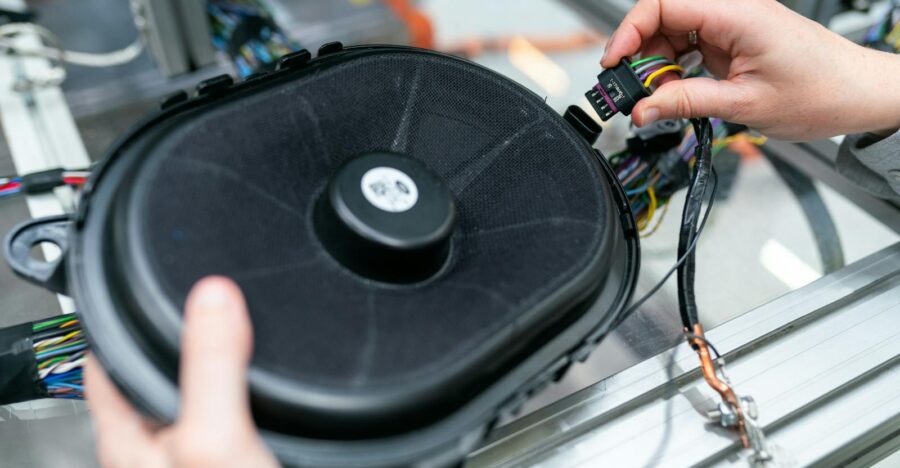
Choose your listening setup
Start with the rooms, listening areas and sources you want to use. Speaker placement, connections and controls should fit the space and selected equipment.
Plan soundbars or compatible speaker and receiver setups around the screen and seating. Review available connections, cable routes and supported audio features.
Discuss the rooms you want connected, supported music sources and zone controls. Check equipment compatibility and network requirements for connected systems.
Plan speakers, amplification and controls for offices, retail or hospitality spaces. Review listening areas, operating needs and suitable equipment locations.
Planning a connected audio setup? Explore our networking and data cabling service . Streaming, app controls and integrations depend on the selected platform and compatible equipment.
Different spaces, different listening needs
Plan the system around what you listen to, where people sit or move and who controls the sound. Choose equipment and connections that fit the space.
Plan listening around your screen, seating and rooms. Review existing equipment before deciding on new speakers or connected audio components.
Plan background music or meeting-room audio around the areas you use. Discuss suitable levels, sources and controls for staff.
Review before installation
A useful audio plan connects room layout, equipment and controls. Share your listening goals and any problems with the existing setup.
Review seating, room dimensions and the areas that need sound. Consider the layout and surfaces when planning speaker positions.
Identify speaker, amplifier, receiver and soundbar models. Check compatibility before deciding which components can be retained.
List the TV, streaming devices and other sources you want to use. Review supported inputs and how sources connect to the system.
Review suitable speaker locations, mounting access and cable paths. Agree on any concealed wiring or additional building work.
Discuss which rooms need independent control and who operates the system. Confirm supported remotes, apps or other interfaces.
Review equipment power and any connection requirements for streaming or app features. Identify related work in the project scope.
Planning a new setup or an upgrade? Share your city, room details and existing equipment to discuss suitable audio options.
Discuss Your Audio Installation →Choose how you listen
Plan sources, zones and controls around the rooms you use. Confirm what the selected equipment supports before choosing a connected audio setup.
Identify areas that need shared playback or independent control. Discuss supported zone arrangements and volume controls for each listening space.
List the sources you want to connect, such as a TV, streamer or existing player. Check supported inputs and any service account requirements.
Choose supported interfaces that suit everyday users. Review app compatibility, network needs and any subscriptions for connected features.
Need connections for streaming audio? Explore our networking and data cabling service . Multi-room playback and control features depend on the selected platform and compatible components.
Know what the project includes
A clear proposal covers equipment, placement, connections and handover. Confirm installation work and included setup before proceeding.
List speakers, amplifiers, receivers and agreed accessories. Check compatibility with retained equipment and the sources you plan to use.
Agree on positions around the listening areas. Review mounting surfaces, access and suitable supports for the selected equipment.
Specify cable routes and connections between components. Identify any concealed wiring, additional power outlets or building work separately.
Connect agreed sources and configure supported controls. Set up included zones and app features where compatible.
Check the agreed sources, speakers and controls. Review included level adjustments and supported setup functions for the installed system.
Explain source selection, volume and zone controls. Review equipment details, care guidance and the agreed route for installation support.
Get a plan for your listening space Share your city, rooms and existing equipment to discuss installation options and a project quote.
Request an Audio Installation Quote →Designed for everyday listening
Thoughtful planning brings speaker placement, connections and controls together. Choose a system around your listening areas and the sources you actually use.
Plan speakers around seating, room layout and coverage needs. Review practical positions instead of choosing equipment without considering the space.
Choose supported interfaces for source selection, volume and zones. A clear handover helps everyday users operate the installed setup.
Agree on cable routes and equipment locations. Suitable mounting and cable management help keep components accessible for maintenance or changes.
Review existing devices, supported inputs and planned additions. Confirm which components work together before committing to the equipment list.
From listening goals to handover
Start with the space and how you want to listen. Agree on equipment, connections and included setup before installation, then review everyday operation.
Send your city, property type and rooms to include. Mention your audio sources, existing equipment and preferred controls.
Discuss speaker positions, mounting access and cable routes. Check compatibility with sources and components you want to retain.
Agree on equipment, installation work and configuration. Identify additional building or electrical work and any ongoing service charges separately.
Install agreed components and connect supported sources. Configure included controls and check playback across the agreed speakers or zones.
Go through source selection, volume and zone controls. Review equipment details, care guidance and agreed installation support.
Ready to plan your audio installation? Share your space and equipment details to discuss suitable options and availability.
Start Your Audio Installation →Understand your project quote
Your quote should reflect the equipment, listening areas and installation work. Review the complete scope, including connections and setup, before comparing options.
Speaker count, amplification, sources and the number of rooms or zones affect equipment needs. Reusing components depends on compatibility and condition.
Speaker locations, access and cable routing affect installation work. Identify concealed wiring, additional outlets and any building work separately.
Source connections, zone controls and supported app configuration affect the scope. Confirm included adjustments and any subscriptions or ongoing services.
Compare the full proposal: Review the equipment list, installation work, connections, included setup and applicable taxes. Confirm exclusions and any ongoing charges before proceeding.
Find your location
Explore the city audio installation pages below. Share your property location, room details and equipment requirements to discuss availability.
Have an audio project in another area? Send your city and installation requirements to discuss service availability.
Check Audio Installation Availability →Your questions answered
Get clarity on equipment, connections and installation work before planning an audio setup for your home or business.
Share the speaker, amplifier, receiver or soundbar models and the sources you want to connect. Reuse depends on condition, supported connections and compatibility with the proposed setup.
That depends on your room, listening goals, available space and budget. Review seating, mounting options and supported connections before selecting a soundbar or a compatible speaker and receiver system.
Multi-room playback is possible with suitable equipment. Confirm which rooms need shared playback or independent control, along with supported sources and network requirements.
App controls depend on the selected equipment and platform. Discuss device compatibility, network access, account requirements and any subscriptions before including app features in the scope.
That depends on wall or ceiling access, cable routes and the property construction. Agree on the proposed finish and identify any additional building or repair work in the quote.
Some streaming and app-based systems depend on a suitable network connection. Review equipment requirements and existing coverage. Explore our networking and data cabling service if related work is needed.
Include your city, property type, rooms to cover, existing equipment models and preferred sources or controls. Mention any installation access restrictions. Keep account passwords out of the enquiry form.
Plan your next step
Tell Kancam about your rooms, equipment and listening goals. Discuss suitable components, installation availability and a quote with a clear scope of work.
Keep account passwords out of your enquiry. Any required access can be discussed separately.