Kan Camtek
Kan Camtek

Residential Camera Systems Across the GTA

Residential Security Camera Installation for GTA Homes

Protect entrances, driveways, garages, side yards and other important areas with a professionally planned home security camera system, reliable recording and supported remote viewing.

  • Homes, condos and townhomes
  • Wired and IP camera options
  • Recording and mobile access setup
Residential security camera system with mobile viewing for a GTA home
See More of Your Property Planned home coverage with convenient viewing
Home Monitoring
Residential Coverage Designed Around Your Home

Home Security Priorities

Camera Coverage Planned Around Everyday Home Life

The right home camera layout focuses on useful views—not simply adding more cameras. We plan coverage around access points, activity areas and how you want to check recordings.

Entrances and Deliveries

Monitor front and back doors, visitor activity and delivery areas with camera views planned for useful identification.

Explore installation service

Driveways and Garages

Cover vehicles, garage doors and common approach routes with suitable outdoor camera positioning and angles.

Explore outdoor cameras

Yards and Side Access

Reduce exterior blind spots around gates, walkways, backyard spaces and less-visible sides of the property.

Discuss your coverage

Recording and Mobile Viewing

Review supported live and recorded video from compatible devices with properly configured, authorized access.

Explore IP camera systems
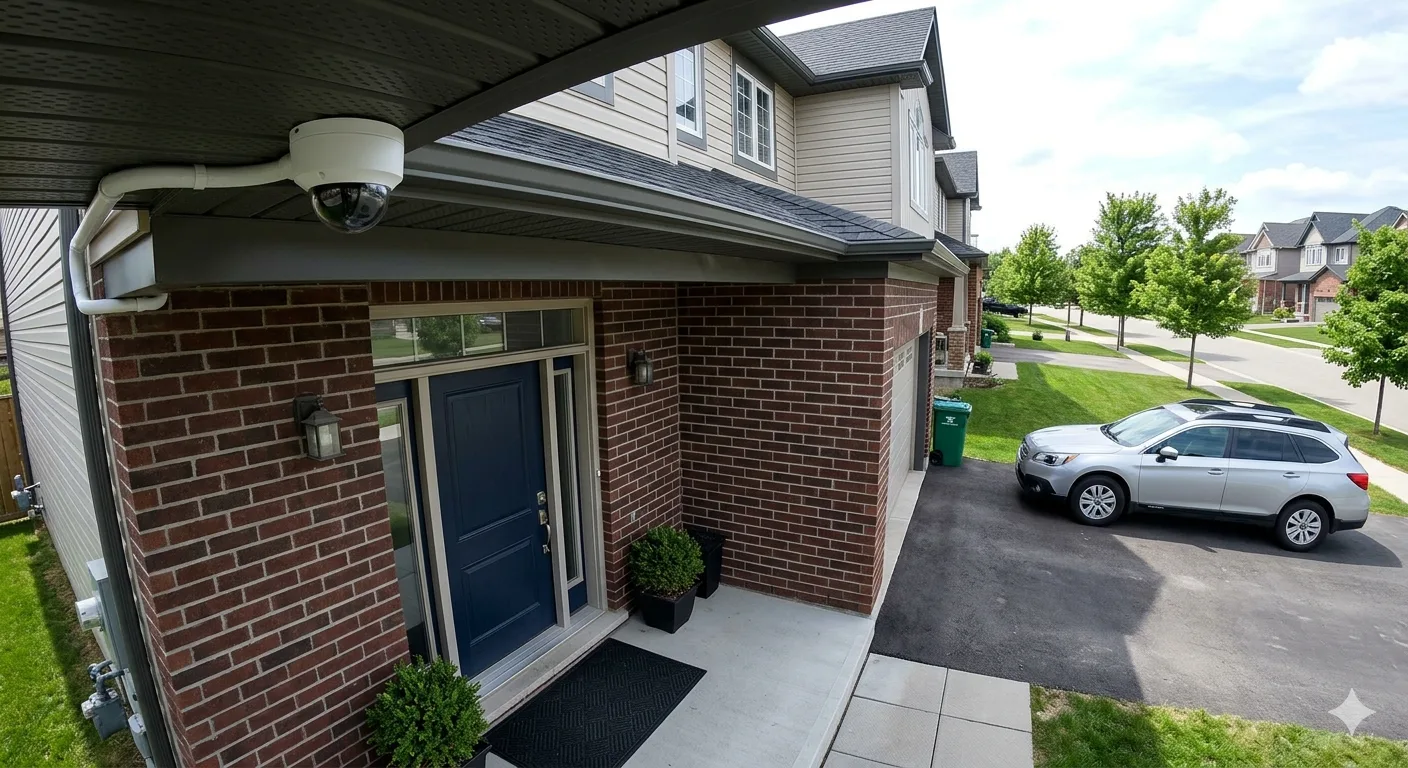
Outdoor residential security camera professionally positioned on a GTA home
Coverage That Fits the Property Camera placement based on entrances, access routes and exterior blind spots
01 Coverage Plan
02 System Setup
03 Owner Guidance

Professional Home Camera Installation

A Home Security Camera System Planned Correctly From the Start

A residential security camera system should provide useful footage without leaving important areas unprotected. We begin by reviewing the property layout, entry points, exterior lighting and the places where clearer visibility would be most valuable.

Camera positions, equipment type, recording capacity and cable routes are then planned around your home. The objective is a practical system that is easier to operate, review and expand if your needs change later.

  • Entry and perimeter assessment
  • Suitable camera recommendations
  • Wired or IP system planning
  • Recording and playback setup
  • Authorized mobile access
  • Final testing and walkthrough

Complete Residential Setup

What’s Included in a Residential Camera Installation?

From the initial coverage discussion to testing and owner guidance, each stage supports a cleaner and more dependable home camera setup.

Home Security Consultation

We discuss the property, priority areas, preferred features and how you want to access recordings.

Coverage and Camera Plan

Camera locations and viewing angles are planned around entrances, outdoor access and likely blind spots.

Secure Camera Mounting

Cameras are mounted at practical positions with attention to stability, field of view and exterior conditions.

Careful Cable Routing

Required power and data routes are planned for reliable connections and a tidy finished appearance.

Recorder and App Setup

Supported recording, playback and compatible mobile-viewing functions are configured and checked.

Testing and Walkthrough

Camera views, recording and access are tested, followed by guidance on essential system functions.

Planning cameras for your home? Tell us which entrances, exterior areas or indoor spaces you want to monitor.

Request a Home Quote

Residential Camera Options

Choose a Home Camera System That Matches Your Coverage Needs

Different areas of a home require different camera features, mounting positions and recording plans. We help match the system to the property rather than forcing one generic package.

Entrance Camera Coverage

Clear views around front doors, porches and secondary entrances for visitors, deliveries and activity checks.

Plan entrance coverage

Indoor Security Cameras

Selected indoor coverage for common areas, entry halls or other suitable spaces where household visibility is needed.

Discuss indoor options

IP and PoE Cameras

Network-based cameras with high-resolution options, centralized management and simplified PoE connectivity.

Explore IP camera systems

Wired CCTV Systems

Stable camera and recorder connections for homeowners who prefer dependable, permanent surveillance infrastructure.

Explore wired CCTV

Remote Viewing Options

Compatible mobile access, playback and supported notifications configured for authorized household users.

Explore monitoring options

Coverage for Different Homes

Residential Camera Planning for Houses, Townhomes and Condos

Property layout, shared spaces and mounting permissions can change how a residential security camera system should be designed. Each installation needs its own practical plan.

Detached Homes

Coverage can be planned around multiple sides of the property, separate entrances, garages and private yards.

  • Front and back doors
  • Driveway and garage
  • Side access routes
  • Backyard coverage

Townhomes and Semi-Detached Homes

Focused camera placement helps cover entrances, parking areas and narrower side or rear access points.

  • Entrance visibility
  • Parking coverage
  • Rear access areas
  • Neighbour-aware angles

Condos and Apartments

Indoor or entry coverage may be possible where building policies, privacy requirements and mounting permissions allow it.

  • Entry-area planning
  • Compact camera options
  • Network assessment
  • Permission checks

Large and Multi-Level Homes

Multiple entrances, floors and exterior zones may require a scalable recorder and carefully organized camera groups.

  • Multi-zone coverage
  • Scalable recording
  • Organized camera views
  • Multiple user access

Condo or shared-property installation? Building rules, privacy considerations and permission for exterior mounting should be confirmed before installation.

Check Your Property

Benefits for Homeowners

More Useful Visibility Around the Places That Matter at Home

A well-planned camera system can make it easier to check activity, review important events and stay connected to key areas of your property.

Check Entrances and Visitors

See activity around front doors, back entrances and other access points with camera views designed for useful coverage.

Monitor Delivery Areas

Review package arrivals and activity near porches, walkways or other common residential delivery locations.

Review Recorded Events

Access supported recorded footage when you need to understand an incident, visitor or event around the property.

View Your Home Remotely

Use compatible authorized devices to check supported live views and recordings while away from the property.

Reduce Exterior Blind Spots

Plan camera positions around side paths, gates, garages and less-visible areas that may otherwise be difficult to check.

Expand Coverage Later

A correctly planned system can make it easier to add compatible cameras as household or property needs change.

Our Residential Process

A Clear Installation Process From Home Assessment to Walkthrough

Each stage is focused on practical coverage, respectful installation and making the completed camera system easier for the household to use.

STEP 01

Discuss Your Home

We review the property type, household concerns, priority areas and the features you want from the system.

STEP 02

Assess Coverage Areas

Entrances, driveways, yards, exterior lighting, possible blind spots and practical cable routes are considered.

STEP 03

Plan Privacy-Aware Views

Camera angles are planned around your property while considering neighbouring areas, shared spaces and appropriate boundaries.

STEP 04

Select the System

Suitable cameras, recording equipment, storage approach and compatible viewing options are recommended.

STEP 05

Install and Configure

Cameras and equipment are mounted, connected and configured, followed by checks of views, recording and playback.

STEP 06

Homeowner Walkthrough

We explain how to view cameras, find recordings and use the essential functions available on the installed system.

Already have cameras installed? If your current home system has recording, connection, viewing or coverage problems, our troubleshooting service may be the better starting point.

Camera Troubleshooting

Benefits for Homeowners

More Useful Visibility Around the Places That Matter at Home

A well-planned camera system can make it easier to check activity, review important events and stay connected to key areas of your property.

Check Entrances and Visitors

See activity around front doors, back entrances and other access points with camera views designed for useful coverage.

Monitor Delivery Areas

Review package arrivals and activity near porches, walkways or other common residential delivery locations.

Review Recorded Events

Access supported recorded footage when you need to understand an incident, visitor or event around the property.

View Your Home Remotely

Use compatible authorized devices to check supported live views and recordings while away from the property.

Reduce Exterior Blind Spots

Plan camera positions around side paths, gates, garages and less-visible areas that may otherwise be difficult to check.

Expand Coverage Later

A correctly planned system can make it easier to add compatible cameras as household or property needs change.

Our Residential Process

A Clear Installation Process From Home Assessment to Walkthrough

Each stage is focused on practical coverage, respectful installation and making the completed camera system easier for the household to use.

STEP 01

Discuss Your Home

We review the property type, household concerns, priority areas and the features you want from the system.

STEP 02

Assess Coverage Areas

Entrances, driveways, yards, exterior lighting, possible blind spots and practical cable routes are considered.

STEP 03

Plan Privacy-Aware Views

Camera angles are planned around your property while considering neighbouring areas, shared spaces and appropriate boundaries.

STEP 04

Select the System

Suitable cameras, recording equipment, storage approach and compatible viewing options are recommended.

STEP 05

Install and Configure

Cameras and equipment are mounted, connected and configured, followed by checks of views, recording and playback.

STEP 06

Homeowner Walkthrough

We explain how to view cameras, find recordings and use the essential functions available on the installed system.

Already have cameras installed? If your current home system has recording, connection, viewing or coverage problems, our troubleshooting service may be the better starting point.

Camera Troubleshooting

Why Choose Kancam

Why GTA Homeowners Choose Kancam for Residential Security Camera Installation

A reliable home camera system starts with the right coverage plan and finishes with careful testing, clear guidance and a setup that suits the property.

Home-Specific Planning

Camera positions are considered around your entrances, driveway, garage, yard, access paths and the viewing goals that matter to your household.

Careful Cable Routing

Wired and PoE layouts are planned with practical cable paths, suitable mounting points and a clean finished appearance in mind.

System Matched to Your Needs

Camera type, image quality, night viewing, recording capacity and remote-access requirements are considered before equipment is finalized.

Remote Viewing Setup

Where supported by the selected system, authorized phone viewing and relevant app features can be configured and demonstrated.

Testing Before Handover

Camera views, recording, playback and supported access features are checked so you understand how to use the installed system.

Practical System Guidance

You receive straightforward guidance on everyday viewing, playback and the basic care needed to keep the system working as intended.

A Clear Path From Planning to Handover

Your home, coverage priorities and selected equipment guide the installation—not a one-size-fits-all package.

01 Review the property
02 Confirm the scope
03 Install and test

Protect Your Home

Plan Your Residential Security Camera Installation

Tell Kancam about your home, preferred coverage areas and any existing equipment. We’ll review the requirements and help define a suitable installation scope.

Request a Home Quote Explore Security Camera Installation
  • Home-specific plan
  • Clear project scope
  • GTA service coverage