Kan Camtek
Kan Camtek

Commercial CCTV Across Toronto & the GTA

Commercial Security Camera Installation Across Toronto & the GTA

Professional CCTV, IP camera and video surveillance planning for offices, retail stores, warehouses, industrial properties and multi-site businesses.

  • Business-specific coverage plan
  • Wired and IP camera systems
  • Recording and remote viewing
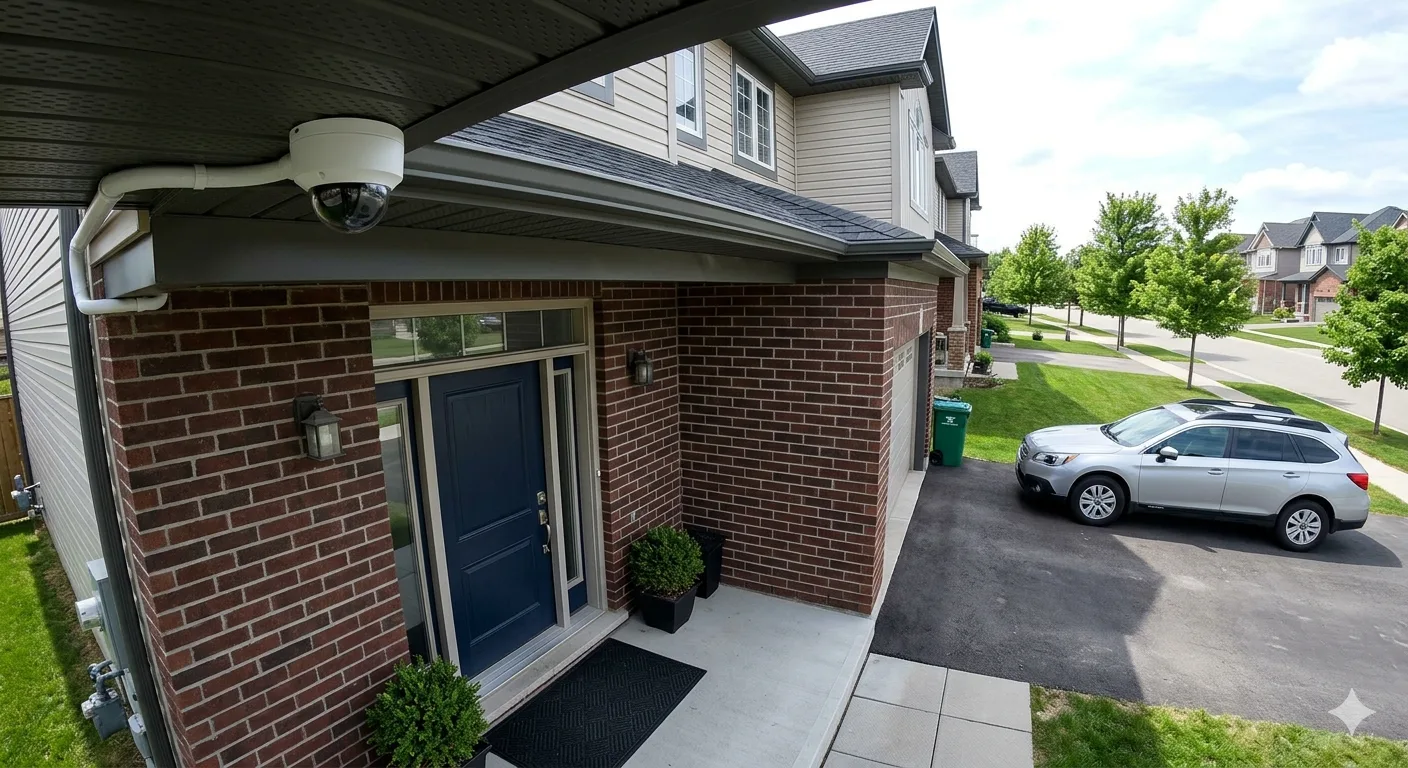
Commercial security camera installation and video surveillance equipment
Entrances Access visibility
Operations Interior coverage
Perimeters Exterior monitoring

Business Coverage Planning

Camera Coverage Designed Around Your Property and Operations

Commercial surveillance must account for how people, inventory and vehicles move through the site—not simply how many cameras can be installed.

01

Entrances & Access Points

Plan visibility around public doors, staff entrances, reception areas, gates and other important access locations.

02

Customer & Staff Areas

Consider appropriate views across retail floors, counters, corridors, shared spaces and selected operational zones.

03

Inventory & Storage

Support oversight of stockrooms, warehouse aisles, equipment areas and other property-specific assets.

04

Loading & Delivery Zones

Review loading docks, receiving points, service doors and vehicle activity around logistics areas.

05

Parking & Perimeters

Plan exterior views around parking areas, yards, building approaches and other boundary priorities.

06

Recording & User Access

Match storage, playback and supported remote access to camera quantity, resolution and authorized users.

Commercial System Design

A Business Camera System Planned as One Connected Solution

Commercial security camera installation involves more than selecting cameras. Coverage goals, building access, lighting, cable routes, network capacity, recording requirements and user permissions must work together.

Kancam reviews these practical requirements before the system scope is finalized, helping businesses avoid disconnected equipment choices and unnecessary blind spots.

  • New commercial CCTV and IP camera systems
  • Existing-system expansion and compatibility review
  • Single-location and multi-location planning
  • Indoor, outdoor and operational-area coverage
Commercial Surveillance Workflow System Plan

Business Property

Entrances, interiors, inventory, loading and exterior zones

Reviewed

Cameras & Recording

Compatible cameras, cabling, recorder and storage planning

Connected

Authorized Viewing

Supported live view, playback and controlled user access

Configured
Final features depend on the selected equipment, network and approved project scope.

Commercial Property Types

Commercial Camera Systems for Different Business Environments

Each business has different movement patterns, access points, lighting conditions and operational priorities. The camera layout should reflect the way the property is actually used.

01

Retail Stores & Restaurants

Coverage planning for entrances, sales floors, service counters, dining areas, stockrooms and exterior approaches.

02

Offices & Professional Spaces

Appropriate views for reception, shared access, corridors, parking and selected business-critical areas.

03

Warehouses & Logistics

Camera planning around inventory aisles, loading docks, receiving areas, vehicle movement and yard access.

04

Industrial & Large-Site Properties

Scalable surveillance considerations for wide perimeters, equipment zones, gates and changing site conditions.

05

Multi-Unit & Shared Buildings

System planning for common entrances, parking areas, service corridors and other shared-property locations.

06

Construction & Remote Sites

Coverage options for evolving properties where access, power, connectivity and future changes require planning.

Camera Technologies & Options

Choose Commercial Camera Technology Around the Site Requirements

Camera type, recording method, connection, storage and access features should be matched to the site—not selected from a generic package.

Business Security Benefits

A Commercial Camera System Built for Visibility, Control and Growth

The right surveillance plan supports day-to-day awareness while giving your business a clearer way to review important areas and events.

Clearer Site Awareness

Review entrances, staff or customer areas, inventory, loading points and other selected zones from an organized camera layout.

Better Incident Review

Recording and playback can help authorized users review events, timing and activity when the selected system supports those functions.

Operational Visibility

Use suitable views to understand activity around receiving, service areas, access points, parking and other operational locations.

Centralized Recording

DVR or NVR planning can organize multiple camera feeds, playback and storage around the system’s requirements.

Room to Expand

Recorder channels, network capacity and cabling can be considered so future camera additions are easier to evaluate.

Supported Remote Access

Authorized users may be able to view live video or playback remotely when the chosen equipment and network support it.

Security needs change as a business changes. A scalable camera plan can be reviewed again when your property, operations or coverage priorities grow.

Plan Your Business System

From Site Review to Handover

A Commercial Security Camera Installation Process With Clear Stages

A structured process helps keep coverage, equipment, cabling, recording and user access aligned before the system is handed over.

01

Requirements Review

Discuss property type, operating priorities, existing equipment, access points and areas that need visibility.

02

Coverage Plan

Map camera positions, viewing goals, lighting conditions, cable routes and any important blind spots.

03

System Scope & Quote

Confirm camera types, recorder, storage, network needs and project requirements before installation begins.

04

Professional Installation

Install supported cameras, cabling, recording equipment and related components according to the approved scope.

05

Testing & Orientation

Check views, recording, playback and supported access features, then explain everyday system controls.

Need installation around business operations? Scheduling, access requirements and site conditions can be discussed while the commercial project is being scoped.

Start a Commercial Plan

Commercial Installation Coverage

Commercial Security Camera Installation Across the GTA and Nearby Cities

Kancam plans and installs commercial camera systems across Toronto, surrounding GTA communities and selected nearby Southern Ontario locations.

Toronto & York Region

Business camera planning for offices, retail, hospitality and commercial buildings across Toronto and York communities.

Peel Region

Commercial CCTV coverage for stores, warehouses, offices, loading areas and business properties in Peel.

Hamilton & Brant

Commercial camera systems for industrial properties, warehouses, offices and business sites across the west.

Waterloo & Guelph

Business surveillance planning for growing operations, industrial locations and multi-use commercial properties.

Niagara & Nearby

Project-specific commercial installation availability for business properties in Niagara and selected nearby areas.

Commercial CCTV FAQs

Questions About Commercial Security Camera Installation

Clear answers about business camera quantity, pricing factors, recording, remote viewing, upgrades and installation scheduling.

How many cameras does a commercial property need?

The number depends on entrances, interior zones, parking, loading areas, desired image detail, property size and blind spots. A coverage plan should be created before the final quantity is selected.

How much does commercial security camera installation cost?

Pricing depends on camera type and quantity, building layout, mounting height, cable routes, recorder and storage requirements, network work and remote-access needs. A site-specific scope is more accurate than a generic package price.

Can multiple business locations be viewed remotely?

Compatible network-camera systems may support authorized access to more than one location. Internet connections, recorder compatibility, software and user permissions must be reviewed first.

Can Kancam expand an existing business camera system?

Expansion may be possible when recorder channels, resolution support, cabling, power and software are compatible. An assessment identifies what can be retained and what may need upgrading.

How is commercial footage stored?

Depending on the selected system, footage may be recorded to a DVR, NVR or another supported storage arrangement. Capacity is planned around camera count, resolution and desired retention.

Can commercial cameras be installed outside business hours?

Scheduling depends on project scope, site access and installer availability. Operational timing requirements should be discussed during quoting and planning.

Can authorized staff view cameras on a phone or computer?

When supported by the selected camera and recorder, network configuration can include authorized mobile or computer viewing, playback and appropriate user access settings.

Can existing cabling or cameras be reused?

Some existing equipment may be reusable after compatibility is reviewed. Resolution support, power, cabling condition, recorder capacity, network standards and software limitations all need to be checked.

Why Choose Kancam

Commercial Security Camera Installation With a Practical Project Focus

Business surveillance works best when the system is planned around the property, installed carefully and explained clearly to the people who will use it.

Property-Specific Planning

Camera positions, viewing angles, lighting, access points and cable routes are considered for the actual commercial site.

Clean Installation Approach

Mounting, cabling and equipment placement are considered for a reliable system and a neat finished appearance.

Equipment Matched to Scope

Camera type, resolution, recording capacity, storage and remote-access requirements are reviewed before the system is finalized.

Business-Aware Scheduling

Site access, operating hours and areas that must remain active can be discussed while the project is scoped.

Testing Before Handover

Views, recording, playback and supported user-access features are checked before the system is explained to designated users.

Support for Future Changes

Existing systems, upgrades, additional cameras and changing business requirements can be reviewed as needs develop.

Clear communication is part of a commercial installation. Share your site priorities, current system and operating requirements so the project scope can be discussed accurately.

Discuss Your Commercial Project

Plan Your Business Surveillance

Ready to Plan Your Commercial Security Camera Installation?

Tell Kancam what type of business you operate, where the property is located, which areas need coverage and whether you need a new system or an upgrade.

Get a Commercial Installation Quote Explore Complete Security Camera Installation
  • Business-specific plan
  • New systems and upgrades
  • GTA service coverage