Kan Camtek
Kan Camtek

SERVING TORONTO & THE GREATER TORONTO AREA

Professional Security Camera Installation Across the GTA

Custom CCTV, IP camera and video surveillance installation for homes and businesses—with planned coverage, clean cabling, reliable recording and supported remote viewing.

  • Residential & Commercial
  • Wired, IP & Hybrid Systems
  • Remote Viewing Setup
LIVE SURVEILLANCE GTA PROPERTY
Recording Active 4 Cameras Connected
System SetupConfigured & Tested
Remote AccessMobile Viewing Ready

A COMPLETE INSTALLATION SERVICE

Planned for Coverage. Installed for Everyday Use.

Every project starts with the property—not a generic camera bundle. Equipment, placement, recording and access are matched to how the space needs to be monitored.

Site-Based Planning

Camera positions are selected around entrances, blind spots, lighting and coverage priorities.

Clean Installation

Cabling, mounting and equipment placement are planned for reliable operation and a tidy finish.

Recording & Viewing

Supported DVR/NVR recording, playback and authorized mobile or computer access are configured.

GTA Service Coverage

Installation for properties across Toronto and surrounding Greater Toronto Area communities.

Technician installing an outdoor security camera on a brick property
Property-Specific Planning Camera locations are based on the site and coverage goals.

PROFESSIONAL CCTV & IP CAMERA INSTALLATION

A Security Camera System Designed Around Your Property

Effective security camera installation begins before equipment is mounted. Property layout, entrances, lighting, blind spots, network availability and recording requirements all influence the final system.

Kancam plans and installs camera systems for homes, offices, retail locations, warehouses and other GTA properties. The goal is practical coverage, dependable recording and straightforward everyday use—not unnecessary cameras or a one-size-fits-all package.

Coverage First Identify priority views and choose camera positions that reduce avoidable blind spots.

Compatible Equipment Match cameras, recorder, storage, cabling and supported network features.

Usable Setup Configure recording, playback and approved remote access for daily use.

FROM PLANNING TO SYSTEM HANDOVER

What’s Included in Professional Camera Installation?

The exact scope depends on the selected system and property, but a complete installation can cover the essential work below.

01

Site & Coverage Review

Review priority areas, entrances, lighting, viewing distance and potential camera locations.

02

Camera Mounting

Securely mount supported indoor or outdoor cameras at planned angles and practical heights.

03

Cabling & Connections

Route and connect suitable cable, power or PoE components based on the system design.

04

DVR / NVR Configuration

Connect compatible cameras, configure recorder basics and verify that footage is recording.

05

Remote Viewing Setup

Configure supported mobile or computer access for approved users when the system allows it.

06

Testing & Orientation

Check camera views and playback, then explain key everyday controls to designated users.

Camera & System Options

The Right Security Camera System for Every Property

We match the camera type, recording method and coverage plan to your property—so your system is reliable today and ready to expand later.

Not sure which system fits? Our team can assess your layout and recommend practical options.

Wired CCTV Systems

Stable, continuous recording with professionally routed cabling for dependable long-term coverage.

Explore wired CCTV

IP & PoE Cameras

High-resolution network cameras with flexible management, smart features and simplified PoE connectivity.

Explore IP cameras

Outdoor Security Cameras

Weather-ready cameras positioned for entrances, driveways, yards, loading zones and property perimeters.

Explore outdoor cameras

Video Surveillance Systems

Multi-camera coverage, suitable recording capacity and easy playback built around how you use the property.

Explore surveillance

Remote Viewing Setup

Secure mobile access and notifications so you can check live or recorded video when you are away.

Explore monitoring

Upgrades & Troubleshooting

Help with weak coverage, offline cameras, recorder issues, system expansion and practical equipment upgrades.

Get system support

Built Around Your Property

Security Camera Installation for Homes and Businesses

Every site has different blind spots, traffic patterns and recording needs. We design coverage around the way your space actually works.
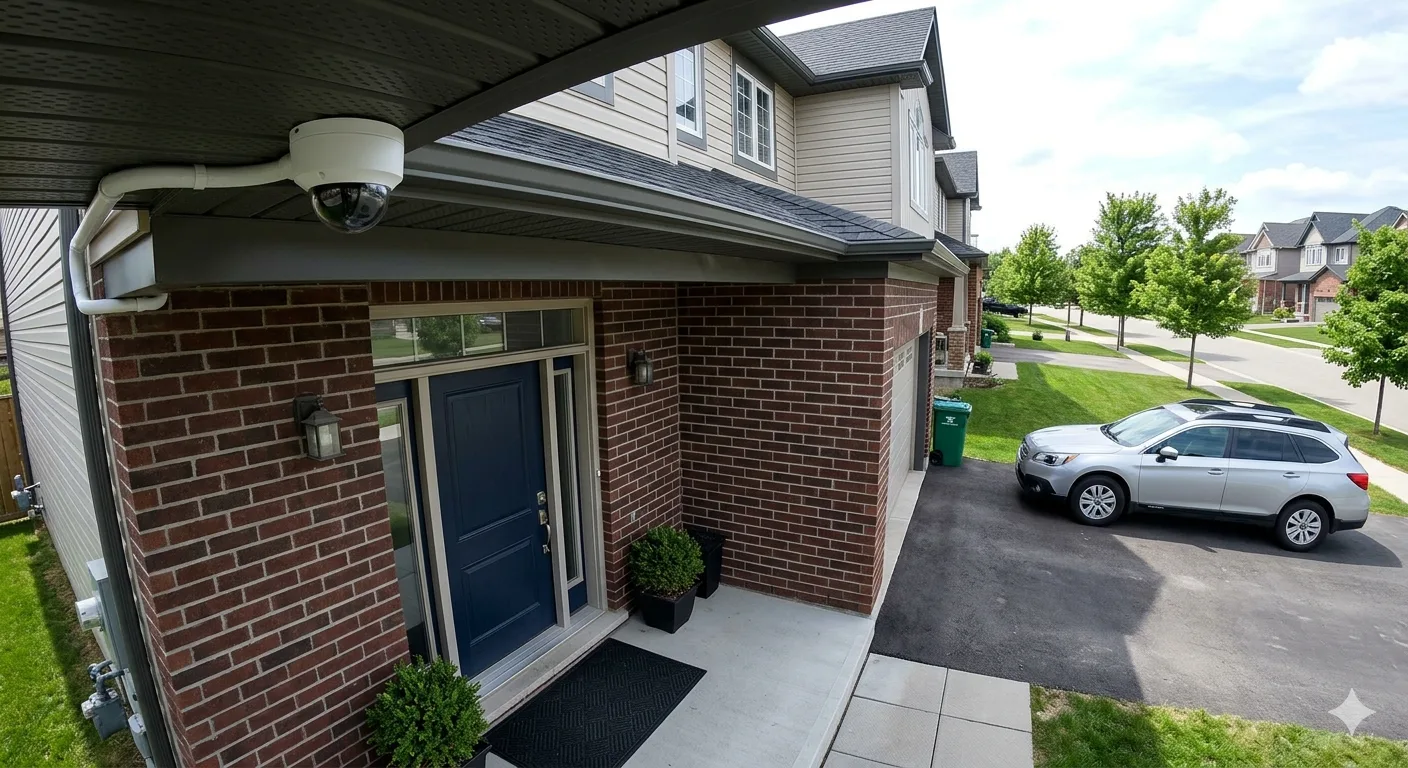
Outdoor residential security camera installed on a GTA home
Residential Security Home Coverage

See entrances, driveways and vulnerable areas clearly with a home camera system planned for useful views, simple access and dependable recording.
  • Front and back entrances
  • Driveways and garages
  • Side yards and perimeters
  • Mobile viewing access
Residential installation
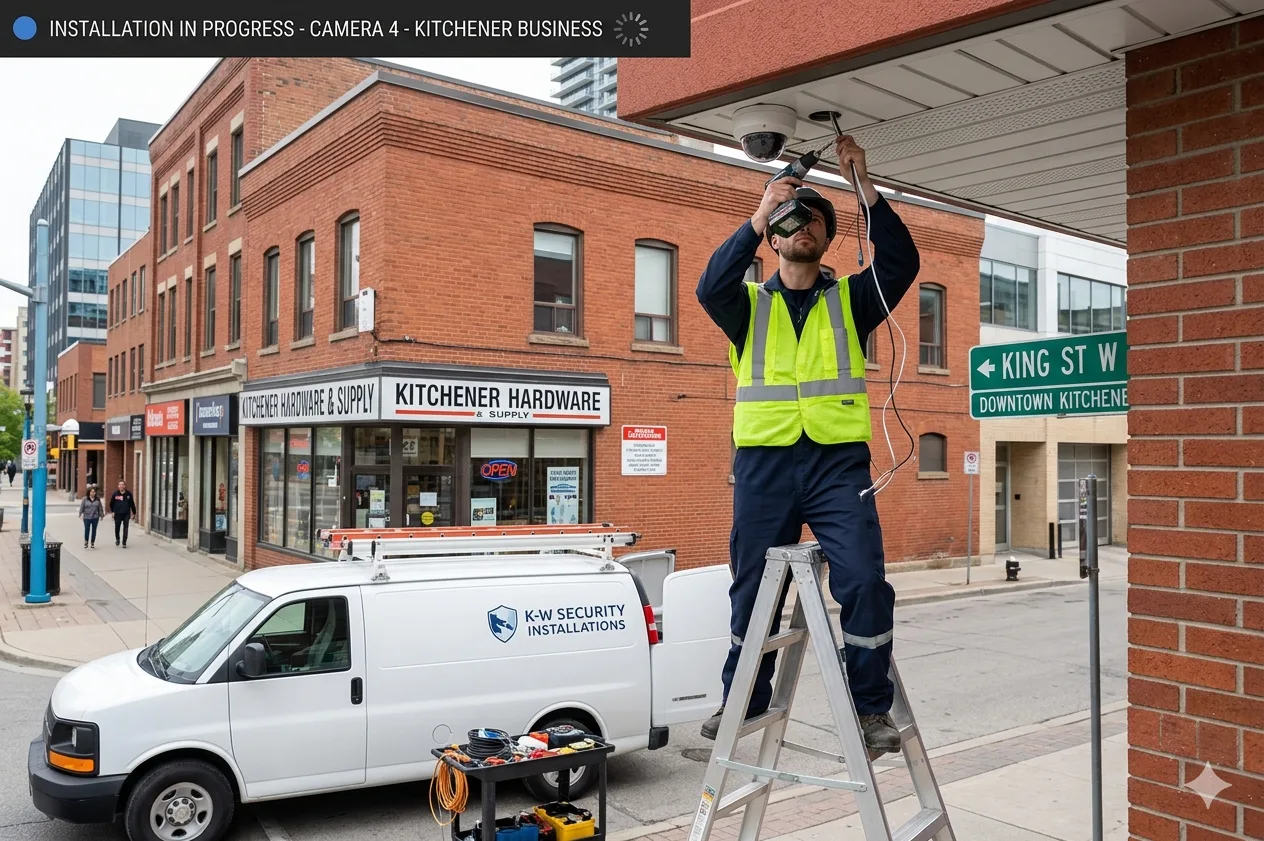
Technician installing a commercial security camera system
Commercial Security Business Coverage

Protect staff, customers, inventory and daily operations with scalable surveillance designed for the size and workflow of your business.

  • Retail and office spaces
  • Warehouses and loading areas
  • Entrances and parking areas
  • Multi-camera recording
Commercial installation

Need help choosing the right setup? Tell us about your property and the areas you want to protect.

Request a Free Quote

Why Professional Installation

A Security Camera System Designed to Work When It Matters

Professional security camera installation is about more than mounting equipment. Careful planning, clean workmanship and correct configuration help produce useful coverage and dependable recordings.

Better Camera Placement

Cameras are positioned around entrances, activity zones and likely blind spots to capture more useful views.

Clean, Secure Cabling

Thoughtful cable routing creates a neater finish while helping protect important power and data connections.

Reliable Video Recording

Recording schedules, storage and playback are configured so footage is easier to find when you need it.

Convenient Remote Access

View live and recorded video from compatible phones or computers with properly configured account access.

Room to Expand

A properly planned system can make it easier to add cameras or adjust coverage as your needs change.

Testing and Guidance

Camera views, recording and remote access are checked, followed by a practical walkthrough of your system.

Plan your installation with confidence Get recommendations based on your property, coverage priorities and budget.

Get a Free Quote

Our Installation Process

From Site Assessment to a Fully Tested Camera System

Our structured process keeps your security camera installation organized, practical and tailored to the areas you need to monitor.

STEP 01

Initial Consultation

We discuss your property, security concerns, preferred features and the areas you want the cameras to cover.

STEP 02

Site Assessment

Potential camera positions, viewing angles, lighting, cable routes and recording equipment locations are reviewed.

STEP 03

System Recommendation

We recommend a suitable camera type, recorder, storage approach and system layout for your requirements.

STEP 04

Professional Installation

Cameras and related equipment are securely installed, with careful attention to clean and practical cable routing.

STEP 05

Configuration and Testing

Video quality, camera angles, recording, playback and compatible remote-viewing features are checked.

STEP 06

System Walkthrough

We show you how to view cameras, find recordings and use the essential functions of the installed system.

Service Areas

Security Camera Installation Across the GTA and Nearby Ontario Cities

Kancam provides professional security camera installation for homes and businesses across Toronto, the Greater Toronto Area and selected nearby communities.

Don’t see your city? Contact us with your location and project requirements so our team can confirm availability.
View all service areas

Security Camera FAQs

Questions About Security Camera Installation

Straightforward answers about installation cost, system options, remote access and GTA service coverage.

How much does security camera installation cost?

The cost depends on the number and type of cameras, cable routes, recorder and storage requirements, mounting conditions and system features. Kancam can provide a quote after reviewing your property and coverage needs.

Do you install security cameras for both homes and businesses?

Yes. We plan and install residential and commercial security camera systems for houses, offices, retail spaces, warehouses and other eligible properties.

Are wired security cameras better than wireless cameras?

Wired systems are often preferred for stable, continuous recording and permanent installations. Wireless cameras may suit some locations, but the best option depends on your property, network conditions and monitoring requirements.

Can I view my security cameras from my phone?

Compatible systems can be configured for secure mobile viewing. This may allow you to check live video, review recordings and receive supported notifications while away from the property.

How long does a CCTV camera installation take?

Installation time varies with the number of cameras, property size, cable-routing complexity and system configuration. A smaller installation may be completed sooner, while larger or more complex projects require additional time.

Which areas do you serve?

We serve Toronto and multiple GTA communities, including Brampton, Mississauga, Oakville, Burlington, Vaughan, Richmond Hill and Halton Hills, plus selected nearby Ontario cities. Contact us to confirm service availability for your address.

Can you install security cameras that I already purchased?

Equipment compatibility and installation requirements need to be checked first. Contact Kancam with the camera model and property details so we can confirm whether your equipment is suitable.

Can you troubleshoot or upgrade an existing camera system?

We can review many existing systems for camera, recorder, connection, viewing or coverage issues. Visit our camera troubleshooting service page for more information.