Kan Camtek
Kan Camtek

Coverage, recording & viewing · Toronto & GTA

Video Surveillance Installation in Toronto & the GTA

Plan cameras, recording storage and authorized viewing as one system for your home or business, with coverage built around the areas you need to see.

  • Indoor & outdoor coverage
  • Recording & playback
  • Authorized viewing access
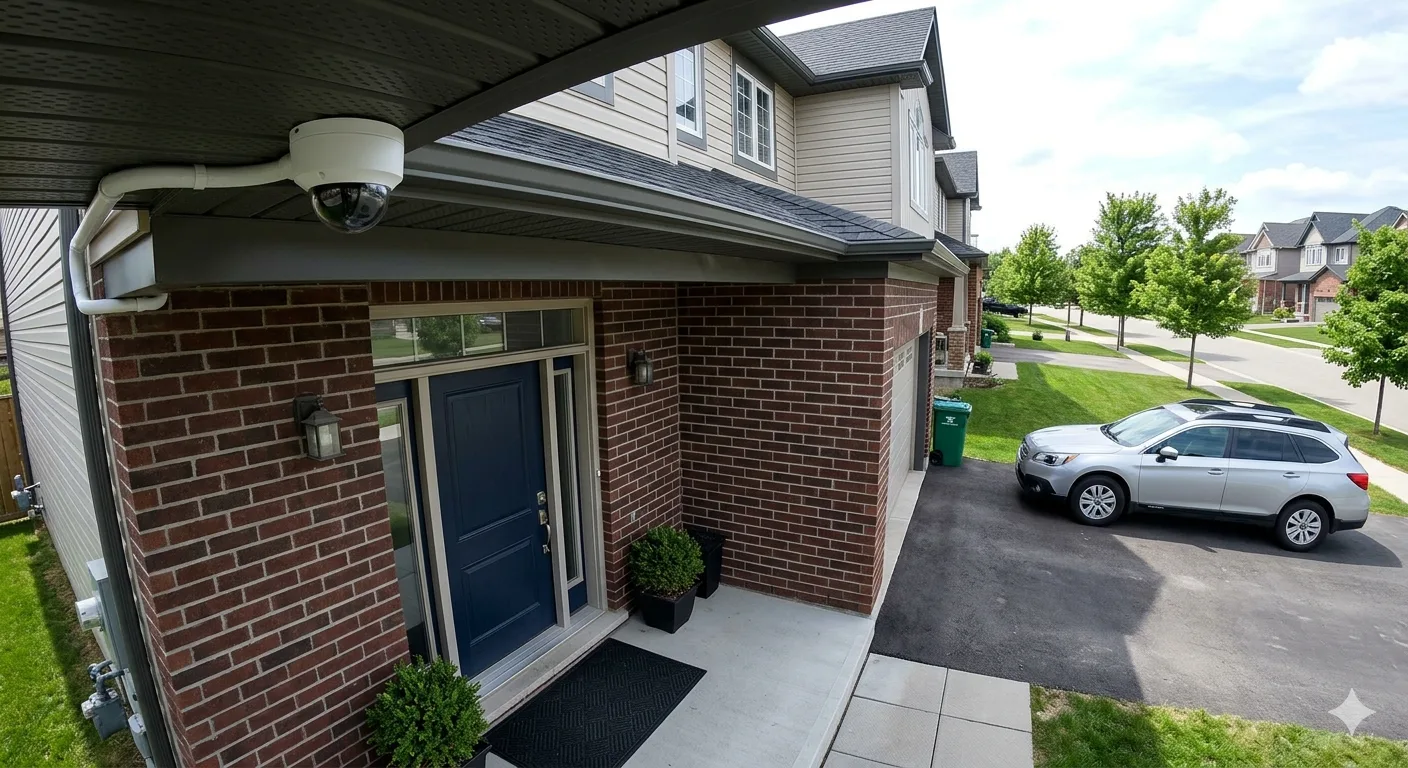
Security camera

A camera system planned around your property and recording needs

Start with your goals

Plan How You Will View, Record and Review Video

Useful surveillance depends on more than the number of cameras. Establish the views, footage history and access your property needs before selecting equipment.

01

Priority Camera Views

Identify entrances, work areas, parking or other locations where live views and recorded footage would be useful.

02

Detail & Lighting

Match camera positions and suitable features to viewing distance, lighting and the detail required in each scene.

03

Recording & Retention

Discuss continuous or supported event recording and how much footage history the system needs to retain.

04

Viewing Permissions

Plan local or supported remote viewing with accounts and available permissions for authorized users.

05

Playback & Export

Review how users will locate recordings and export clips using the features supported by the selected system.

06

Equipment & Expansion

Consider recorder channels, storage, power and connection capacity when planning future camera additions.

Compare equipment approaches through our IP camera installation and wired CCTV installation services.

Think beyond the cameras

Connect Camera Coverage With Recording and Viewing

A video surveillance system combines camera views, connections, recording and access. Planning these together helps establish how footage will be captured, retained and reviewed.

The equipment should suit the property and its users. Camera positions need useful views, storage needs an agreed retention goal, and viewing access needs appropriate permissions.

For a network-based system, explore our IP camera installation service .

Three Parts of a Useful System

Capture the Right Views

Match camera positions and suitable features to the areas and level of detail you need.

Retain the Required Footage

Choose compatible recording equipment and storage around camera count and recording settings.

Review With Authorized Access

Plan supported live viewing, playback and export for the people who need to use the system.

Installation scope

What Goes Into Video Surveillance Installation

The agreed scope depends on the site, selected equipment and existing infrastructure. Discuss these tasks before the installation plan is finalized.

01

Coverage & Site Review

Identify priority views, mounting locations and the users who need access to live or recorded video.

02

Camera Installation

Mount suitable cameras and adjust their views around the agreed indoor or outdoor coverage requirements.

03

Connections & Power

Plan and install compatible cabling, power and equipment connections for the selected system.

04

Recording Configuration

Configure supported recording schedules and storage settings around the footage history required.

05

Viewing & Permissions

Set up supported viewing options and authorized accounts, with available permissions matched to user needs.

06

Testing & Handover

Check views, recording and playback, then explain basic operation and supported footage export.

Planning a new system or updating existing equipment? Share the property layout, coverage goals and camera or recorder models to discuss the scope.

Discuss Your Surveillance System →

Homes & businesses

Video Surveillance Planned Around Everyday Use

Coverage and access needs change with the property. Plan the camera views, footage history and users around how the system will be used.

Residential properties

Surveillance for Your Home

Coordinate useful views of entrances, driveways and other agreed areas, with recording and supported viewing for authorized household users.

  • Camera locations suited to the home layout
  • Recording history based on household needs
  • Supported live viewing and playback
Explore residential installation →
Commercial properties

Surveillance for Your Business

Plan coverage across entrances, customer areas, storage and loading points, with recording capacity and user permissions suited to the operation.

  • Views based on operational priorities
  • Storage and retention goals for the site
  • Authorized access for staff who need it
Explore commercial installation →

Make footage useful

Recording, Playback and Viewing Options

Choose settings around the footage you need to capture and review. Available features depend on the selected cameras, recorder and viewing software.

01

Recording Schedule

Discuss continuous or supported event-based recording and the time periods when footage needs to be captured.

02

Storage & Retention

Plan storage around camera count, video settings and the required footage history. Retention varies with actual recording activity.

03

Local Viewing

Review supported monitor or local software access for users who need live views and playback at the property.

04

Remote Access

Configure supported phone or computer viewing with authorized accounts and the network connection required by the system.

05

Playback & Clip Export

Confirm supported ways to locate recordings, select a time range and export footage for authorized use.

06

Permissions & Alerts

Review available user roles and event notifications so access and alerts fit the users and camera scenes.

Have a specific recording or access requirement? Share the number of cameras, desired footage history and who needs to view the system.

Discuss Recording Options →

Useful video, easier review

What a Well-Planned Surveillance System Can Offer

Coverage, recording and viewing should support the way you use the property. A coordinated setup can make live views and recorded footage more practical to access.

01

Views That Serve a Purpose

Focus cameras on agreed priority areas instead of adding camera count without a clear coverage goal.

02

Footage for Later Review

Configured recording can retain activity for playback, subject to the system's storage and recording settings.

03

Organized Viewing Access

Compatible equipment can bring supported camera views and playback into a shared recorder or viewing interface.

04

Access for the Right Users

Available account permissions can be matched to who needs live viewing, playback or system administration.

05

Supported Footage Export

Compatible systems can let authorized users select and export recordings for review outside the viewing interface.

06

Room for Future Coverage

Plan spare channels, storage, power and connections when additional compatible cameras may be needed later.

Need exterior coverage as part of the system? Explore our outdoor security camera installation service .

From planning to handover

How Video Surveillance Installation Works

Agree on camera coverage and footage requirements first. The equipment, connections and user access can then be configured around the installation plan.

  1. Review Your Needs

    Discuss the site, priority views, recording history and who needs access.

  2. Confirm the System

    Agree on compatible cameras, connections, recorder capacity and installation scope.

  3. Install & Connect

    Mount cameras and connect suitable cabling, power and recording equipment.

  4. Configure Access

    Set supported recording schedules, viewing options and authorized user permissions.

  5. Test & Handover

    Check camera views, recording and playback, then explain basic use and supported export.

Ready to plan your surveillance system? Share the property location, coverage goals and details of any existing cameras or recorder.

Request a Surveillance Quote →

Already have surveillance?

Review and Expand Your Existing Video Surveillance System

Assess current camera views, recording behaviour and user access before choosing an upgrade. Compatibility and equipment capacity determine what can be retained.

01

Investigate Recording Problems

Review missing footage, unavailable camera views and playback issues before deciding whether settings, connections or equipment need attention.

Explore camera troubleshooting →
02

Extend Camera Coverage

Plan new views around changed property needs, then check recorder channels, power, cabling and storage for the additional cameras.

Explore camera installation →
03

Assess IP System Options

Review compatible network cameras and recording equipment when considering a system replacement or an expansion of an existing IP setup.

Explore IP camera installation →

Planning to replace a recorder? Discuss any recordings you need to retain and confirm available export options before equipment is changed. Share camera and recorder model numbers when requesting an assessment.

Find your city

Video Surveillance Installation in Toronto and Southern Ontario

Explore security camera installation information for your city. Share the site location, coverage goals and recording requirements to discuss a suitable system.

Have a site in another area? Share its location and surveillance requirements to discuss availability.

Ask About Your Location →

Common questions

Video Surveillance Installation FAQs

Practical answers about recording history, viewing access, footage export and existing systems.

How long will the system keep recordings?

Retention depends on storage capacity, camera count, video settings and recording activity. Discuss the footage history you need before selecting recording equipment and storage.

Can I view multiple cameras from one interface?

Compatible recorders and viewing software can provide access to multiple camera views. Camera support and available layouts depend on the selected equipment and software.

Can recordings be accessed from a phone?

Many compatible systems support authorized phone viewing and playback after network access and accounts are configured. Features and connection requirements depend on the system.

Can I export a video clip?

Supported systems allow authorized users to export selected recordings. Export formats, time-range selection and available methods should be confirmed for the chosen equipment.

Can existing cameras be included in a new setup?

Possibly. Camera and recorder compatibility, connections, power and supported features need checking first. For problems with existing equipment, explore our camera troubleshooting service .

What affects video surveillance installation cost?

Camera count, coverage requirements, mounting access, cabling, recording capacity and viewing needs all affect the scope. Existing infrastructure and equipment condition can also affect the plan.

Plan your surveillance system

Get a Video Surveillance Installation Quote

Share your property location, the areas to cover, desired recording history and details of any existing equipment. These details help establish a suitable installation scope.